



Welcome to your very first PBL Project.
You must be really excited to start getting your hands dirty. There are a lot of projects ahead, so without any delay, let's get started.
As you kick off your career in DevOps, you will soon realise that everything you will be doing as a DevOps engineer is around software, websites, applications etc. And, there are different stacks of technologies that make different solutions possible. These stack of technologies are regarded as WEB STACKS. Examples of Web Stacks include LAMP, LEMP, MEAN, and MERN stacks. As you proceed in your journey, you will be required to understand and implement all of these technology stacks. Lets have a short close up on what a Technology stack is.
What is a technology stack?
A technology stack is a set of frameworks and tools used to develop a software product. This set of frameworks and tools are very specifically chosen to work together in creating a well-functioning software. They are acronymns for individual technologies used together for a specific technology product. some examples are…
- LAMP (Linux, Apache, MySQL, PHP or Python, or Perl)
- LEMP (Linux, Nginx, MySQL, PHP or Python, or Perl)
- MERN (MongoDB, ExpressJS, ReactJS, NodeJS)
- MEAN (MongoDB, ExpressJS, AngularJS, NodeJS)
WARNING: Most of the things you will be doing at the early days may not mean a lot to you. Sometimes it may seem like you are just copying and pasting. That is absolutely fine. We want some concepts to begin to register in your sub-conscious mind, and without you realising it, you are building up skills. although, there are certain traps that will require you to troubleshoot along the way. So watch out for them in all your project implementations.
After successful completion of PBL projects 1 to 4, you will be able to achieve the following.
- Become very confident on the Linux Terminal.
- Deepen your understanding of Web Stacks and familiarity between the differences between the different Web Technology stacks such as LAMP, LEMP, MEAN, and MERN stacks.
- Solid Linux administration skills in Storage management, NFS, troubleshooting, and basic networking.
- Basic knowledge of AWS platform and components used to host a Website of various Web stacks.
Being able to work with Linux requires the ability to work outside the level of your present knowledge. It means that in the real world, you will be faced with tasks that you have never worked on before, and with Google search and its results, you can achieve a lot. Thanks to “Google!!!”. It is one of the essential skills you will need to develop – constructing a correct search query for Google to process and having the ability to comb through resources that interpretes into a potential solution for you is a great skill to have as well.
Side self-study
- Conduct a Google search on what software development life cycle (SDLC) is and document your finding in a Google word file.
- Conduct another Google search, understand what LAMP stack means.
- Read about ‘chmod’ and ‘chown’ commands in Linux and understand how access and ownership of files and directories work.
- Learn what TCP and UPD terms mean and how they are different.
- List down ports most commonly used in Web (http, https, ssh, telnet, ftp, sftp, telnet)
- Get yourself familiar with basic text editing in Vi (Vim) editor. Practice here.
Instructions on how to submit your work for review and feedback
To submit your work for review and feedback – follow this instruction.
As a beginner it is good to also set up your workspace for learning. You can take a look at these video series to learn how to do that.
windows-installation:Part1
windows-installation:Part2
Step 0 – preparing prerequisites
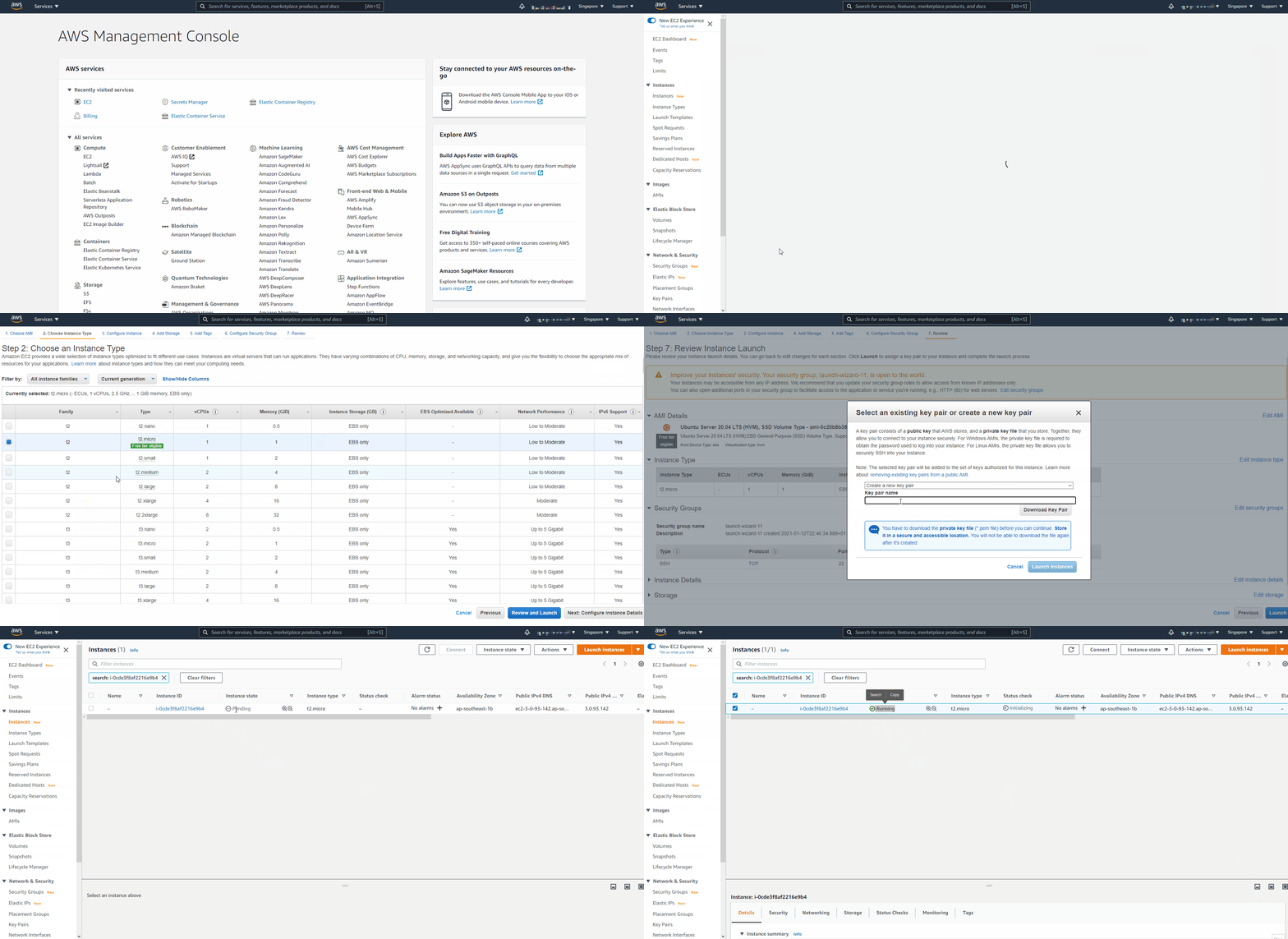
In order to complete this project you will need an AWS account and a virtual server with Ubuntu Server OS. AWS is the biggest Cloud Service Provider and it offers a free tier account that we are going to leverage for our projects. Do not focus too much on AWS itself right now, there will be a proper Cloud introduction and configuration projects later in our course. Right now, all we need to know is that AWS can provide us with a free virtual server called EC2 (Elastic Compute Cloud) for our needs. Spinning up a new EC2 instance (an instance of a virtual server) is only a matter of a few clicks. You can either watch the videos below to get yourself set up.
Or follow the instructions below.
- Register a new AWS account following this instruction.
- Select your preferred region (the closest to you) and launch a new EC2 instance of t2.micro family with Ubuntu Server 20.04 LTS (HVM)